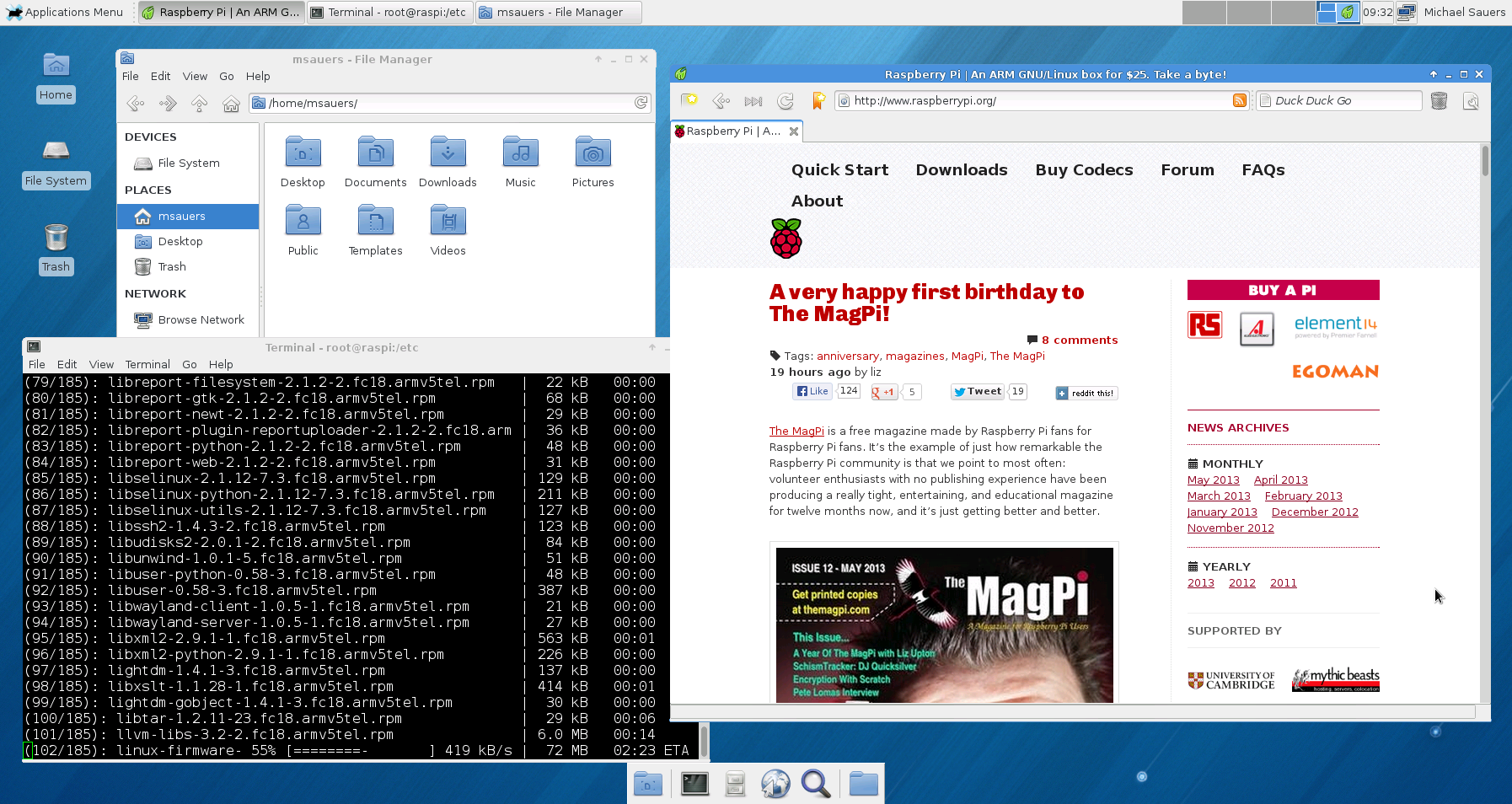
Ultimately, it might become the house media server but for right now it’s just a fun toy to experiment with.
First lesson learned: the first time you boot it up the HDMI port doesn’t work. You need to connect to a monitor via the RCA jack and choose HDMI output post the first re-boot. Now the screen is crystal clear amazing but isn’t running at a full 1920×1080. It seems to only allow me to go up to 1794×954.
Second lesson: I’m writing this post while running updates. Not the best idea in the world. The board is running fine, but it doesn’t seem to like doing something else while running such a processor intensive task. I’m thinking one thing at a time is the best way to go here.
The only problem I’ve run into so far is that I can’t seem to see the rest of my network. I’m sure there’s something I’m missing so it’ll get figured out eventually.
Michael Sauers is the Director of Logan Library in Logan, UT. Prior to this he was one of the founding staff and Technology Manager for Do Space in Omaha, NE. After earning his MLS in 1995 from the University at Albany's School of Information Science and Policy Michael spent his first 20 years as a librarian training other librarians in technology along with time as a public library trustee, a bookstore manager for a library friends group, a reference librarian, a technology consultant, and a bookseller. He has written dozens of articles for various journals and magazines and has published 14 books ranging from library technology, blogging, Web design, and an index to a popular horror magazine. In his spare time, he blogs at TravelinLibrarian.info, runs The Collector's Guide to Dean Koontz website at CollectingKoontz.com, takes many, many photos, and typically reads more than 100 books a year.
Unless otherwise stated, all opinions are my own and are not to be considered those of the City of Logan, UT.
View all posts by Michael Sauers