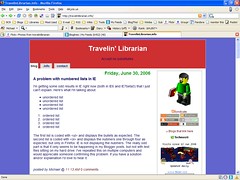
I’m getting some odd results in IE right now (both in IE6 and IE7beta3) that I just can’t explain. Here’s what I’m talking about:
unordered list
unordered list
unordered list
unordered list
ordered list
ordered list
ordered list
ordered list
The first list is coded with <ul> and displays the bullets as expected. The second list is coded with <ol> and displays the nubmers one through four as expected, but only in Firefox. IE is not displaying the nubmers. The really odd part is that it only seems to be happening in my Blogger posts, but not with test files sitting on my hard drive. I’ve repeated this on multiple computers and would appreciate someone confirming this problem. If you have a solution and/or explaination I’d love to hear it.
UPDATE: As you can see, the CSS edit suggested by Steve in the comments fixed the problem. Thanks Steve!
Michael Sauers is the Director of Logan Library in Logan, UT. Prior to this he was one of the founding staff and Technology Manager for Do Space in Omaha, NE. After earning his MLS in 1995 from the University at Albany's School of Information Science and Policy Michael spent his first 20 years as a librarian training other librarians in technology along with time as a public library trustee, a bookstore manager for a library friends group, a reference librarian, a technology consultant, and a bookseller. He has written dozens of articles for various journals and magazines and has published 14 books ranging from library technology, blogging, Web design, and an index to a popular horror magazine. In his spare time, he blogs at TravelinLibrarian.info, runs The Collector's Guide to Dean Koontz website at CollectingKoontz.com, takes many, many photos, and typically reads more than 100 books a year.
Unless otherwise stated, all opinions are my own and are not to be considered those of the City of Logan, UT.
View all posts by Michael Sauers
2 Replies to “A problem with numbered lists in IE”
I think the problem is in the stylesheet:
#content ol {margin: 0px; padding-bottom: 7px; }
Try getting rid of that “margin:0px;” entirely.
It seems to take care of it in IE for the Mac, and still looks OK in Firefox for the Mac. I don’t have access to a PC to check in IE6 (or 7, for that matter).


I think the problem is in the stylesheet:
#content ol {margin: 0px; padding-bottom: 7px; }
Try getting rid of that “margin:0px;” entirely.
It seems to take care of it in IE for the Mac, and still looks OK in Firefox for the Mac. I don’t have access to a PC to check in IE6 (or 7, for that matter).
-Steve
Yay! Glad to help.