The Travelin' Librarian

"You Two! We're at the end of the universe, eh. Right at the edge of knowledge itself. And you're busy… blogging!" — The Doctor, Utopia

Skip to content
Menu
  • Home
  • Writing
    • Forthcoming
    • Non-Fiction
    • Articles
    • Fiction
    • Misc
  • Presentations
  • Projects
  • Also by…
  • About
  • Contact
  • The Great Library Card Collection

Category: Tech

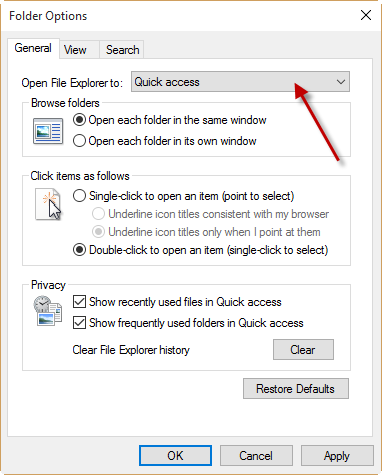
Tuesday Tech Tip: Make File Explorer open to This PC instead of Quick Access in Windows 10
Tech

Tuesday Tech Tip: Make File Explorer open to This PC instead of Quick Access in Windows 10

Posted on September 22, 2015September 20, 2015 by Michael Sauers

Via The Windows Club Windows 10 users may have noticed that by default, File Explorer opens to Quick Access. That is, when you click on…

Throwback Thursday: gif v jif
Presentations

Throwback Thursday: gif v jif

Posted on September 17, 2015September 17, 2015 by Michael Sauers

Back in October 2004 I received the following note on a workshop evaluation: One distractor [sic] was that the presenter referred to a .gif file…

Tuesday Tech Tip: Firefox Health Report
Tech

Tuesday Tech Tip: Firefox Health Report

Posted on September 15, 2015 by Michael Sauers

Want to learn things about your copy of Firefox from how often it has crashed to how many hours you’ve spent using it? Just enter…
Tuesday Tech Tip: A Bug in Chrome 45 Causes WordPress Admin Menu to Break
Tech

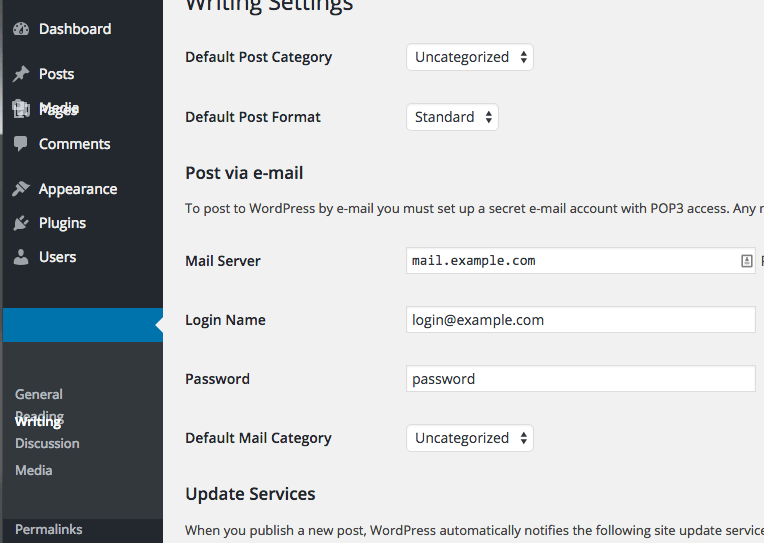
Tuesday Tech Tip: A Bug in Chrome 45 Causes WordPress Admin Menu to Break

Posted on September 8, 2015September 8, 2015 by Michael Sauers

Via  WP Tavern: Within the last five weeks, several people have reported an issue in Chrome that breaks the WordPress admin menu. If you hover…

Tuesday Tech Tip: Get the Show Desktop icon back in Windows 10
Tech

Tuesday Tech Tip: Get the Show Desktop icon back in Windows 10

Posted on September 1, 2015August 31, 2015 by Michael Sauers

Basically, create a new shortcut with the following location: %windir%\explorer.exe shell:::{3080F90D-D7AD-11D9-BD98-0000947B0257} and the dump it on the taskbar. (I generally use WIN+M on the keyboard…
Tuesday Tech Tip: Relocate the Chrome OS shelf
Tech

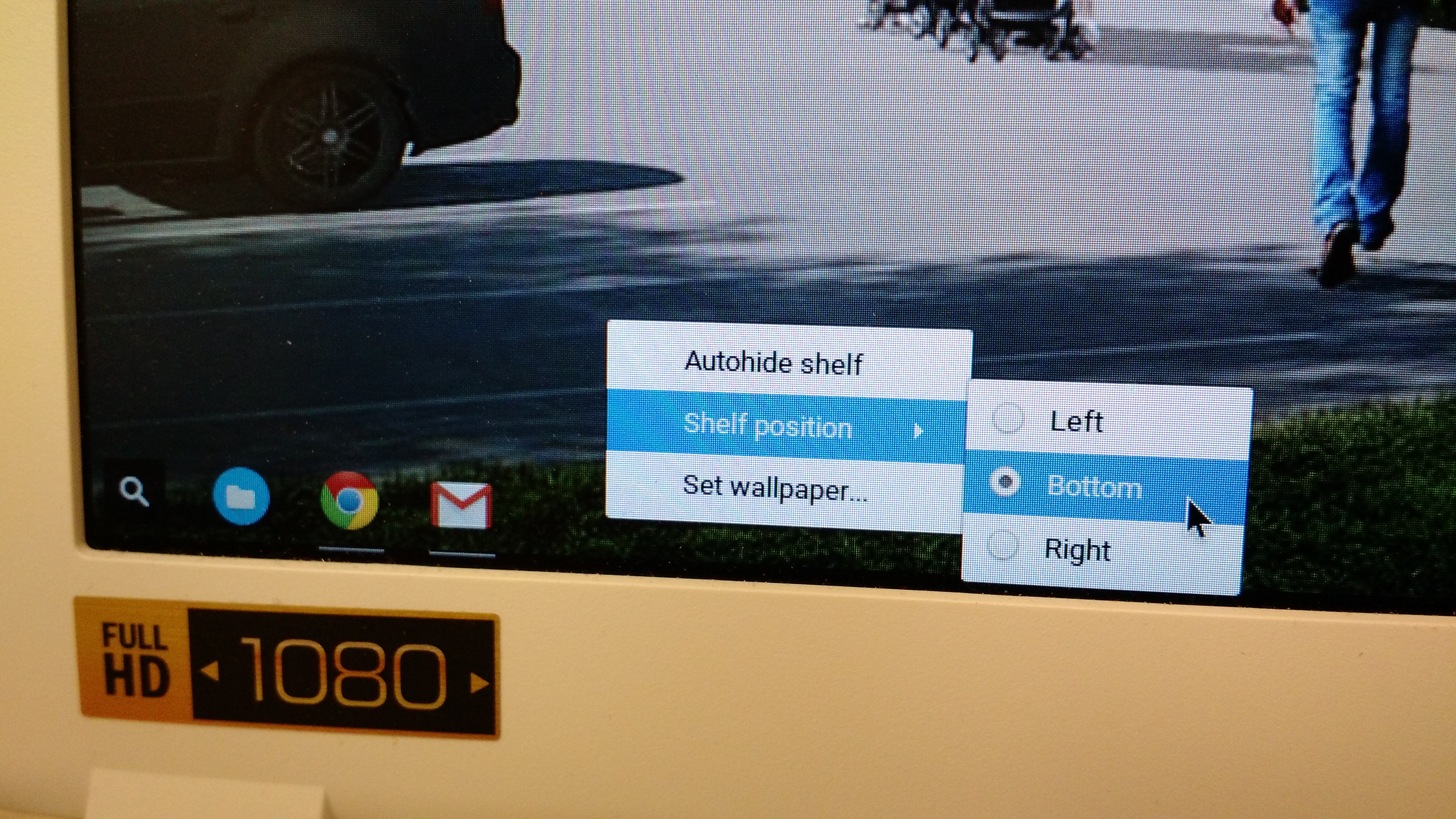
Tuesday Tech Tip: Relocate the Chrome OS shelf

Posted on August 25, 2015August 24, 2015 by Michael Sauers

Want your Chromebook’s app shelf on the left or right side of the screen instead of along the bottom? Just right-click on the shelf, select…

Tuesday Tech Tip: Windows 10 God Mode
Tech

Tuesday Tech Tip: Windows 10 God Mode

Posted on August 18, 2015 by Michael Sauers

Want a link to pretty much every setting possible in Windows 10 all in one place? Just create a new folder and name it GodMode.{ED7BA470-8E54-465E-825C-99712043E01C}…
NPR: ‘Disrupting’ Tech’s Diversity Problem With A Code Camp For Girls Of Color
Tech

NPR: ‘Disrupting’ Tech’s Diversity Problem With A Code Camp For Girls Of Color

Posted on August 17, 2015 by Michael Sauers
Tuesday Tech Tip: Get your computer to tell you the current WiFi password
Tech

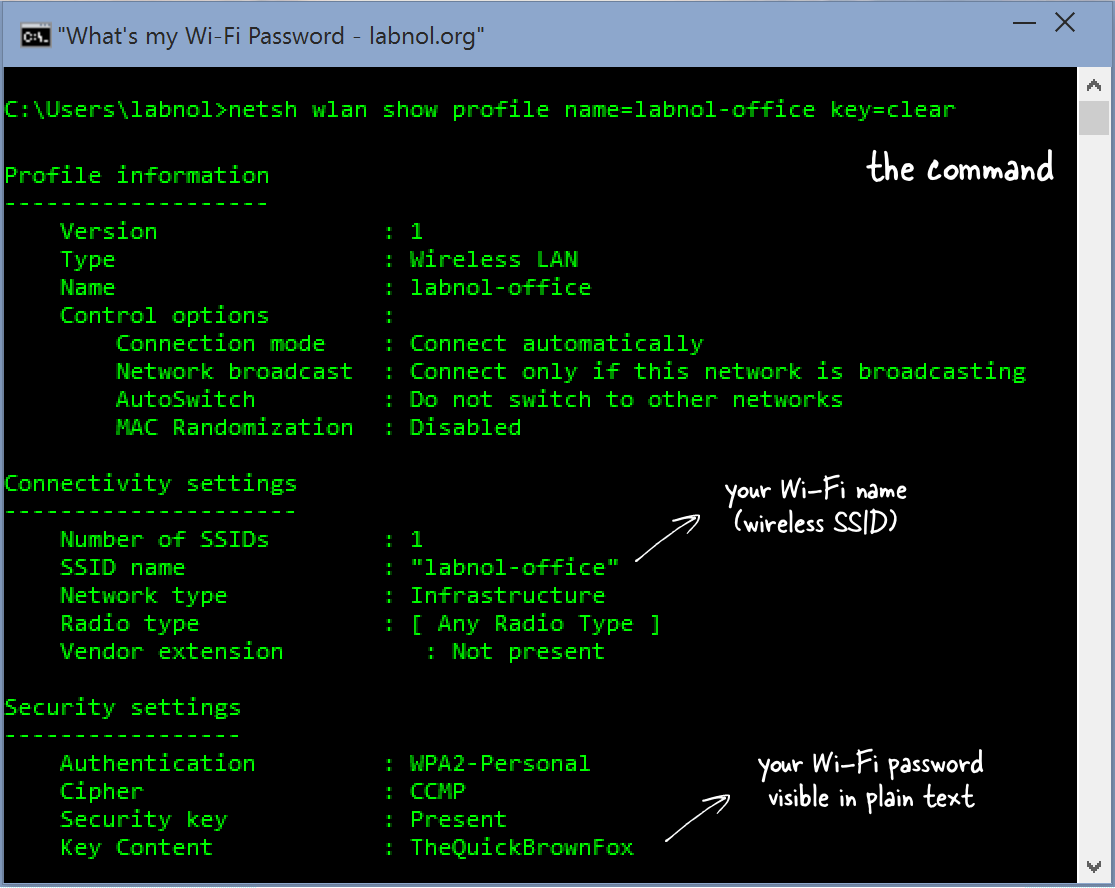
Tuesday Tech Tip: Get your computer to tell you the current WiFi password

Posted on August 11, 2015August 11, 2015 by Michael Sauers

On windows: netsh wlan show profile name=SSIDname key=clear Head on over to labnol.org for more details and the Mac OS instructions.

Tuesday Tech Tip: Windows 10 Screen Recording Tool
Tech

Tuesday Tech Tip: Windows 10 Screen Recording Tool

Posted on August 4, 2015August 4, 2015 by Michael Sauers

The Game bar is a toolbar which Microsoft meant for gamers to use to capture screenshots of their high scores, as well as video footage…

Posts pagination

Previous Page Page 1 … Page 11 Page 12 Page 13 … Page 52 Next Page

Archives

Also check out…

The Collector's Guide to Dean Koontz

Top Posts

  • Update
    Update
  • Time to change your Livingsocial password
    Time to change your Livingsocial password
  • Amazon 1, Libraries 0
    Amazon 1, Libraries 0
  • Cetacean needed
    Cetacean needed
  • JPG Magazine
    JPG Magazine

Archives

Follow Me

  • Flickr
  • X
  • Facebook
  • Google
  • LinkedIn
  • Pinterest
  • Email
  • YouTube
  • Amazon
  • RSS Feed

Visitors

"As an Amazon Associate, I earn from qualifying purchases."

© Copyright 2026 – The Travelin' Librarian
Wisteria Theme by WPFriendship ⋅ Powered by WordPress
 

Loading Comments...